 arun
arun01
Think awake
Solve a math prompt, match a memory sequence, or type a phrase to move beyond a half-asleep tap.
Math · Memory · TypingA new kind of good morning
Meet the alarm that gives your morning a mission. Think, move, and take your first steps out of bed.
01 /How it works
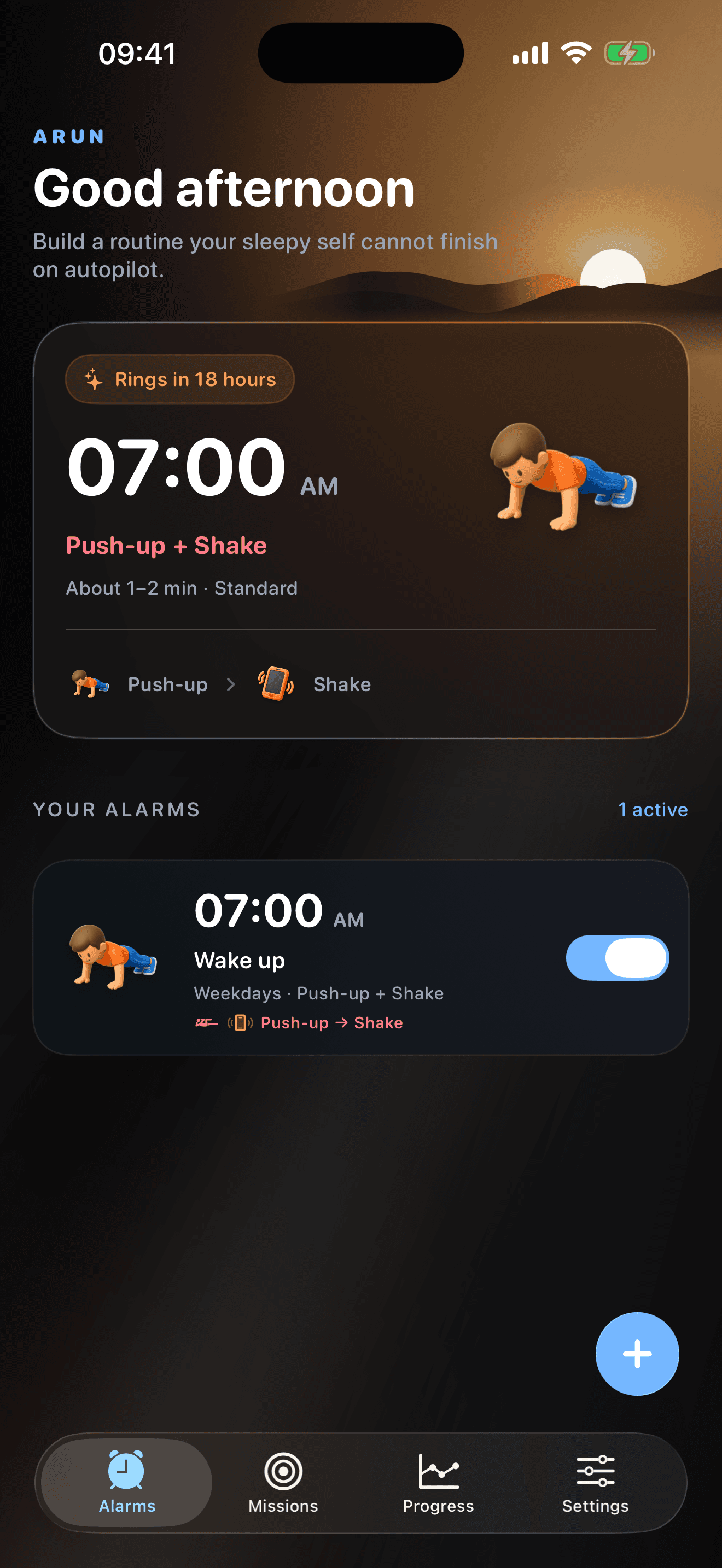
Build a sequence that moves your morning from think → move → leave bed.
Solve a math prompt, match a memory sequence, or type a phrase to move beyond a half-asleep tap.
Math · Memory · Typing
Choose a movement mission that fits your body and surroundings, with a backup when hardware is unavailable.
Shake · Walk · Tilt · Push-ups
Use an on-device camera mission or scan your saved Arun checkpoint to take the wake-up routine away from bed.
Object Hunt · QR CheckpointChoose missions that fit your body, device, and surroundings.
02 /Small challenges. Fresh starts.
Nine ways to shake off sleepy autopilot. Choose your missions and build a wake-up routine that feels like you.
Choose missions that fit your body, device, and surroundings.
Math Sprint
Choose the right answer to complete your mission.
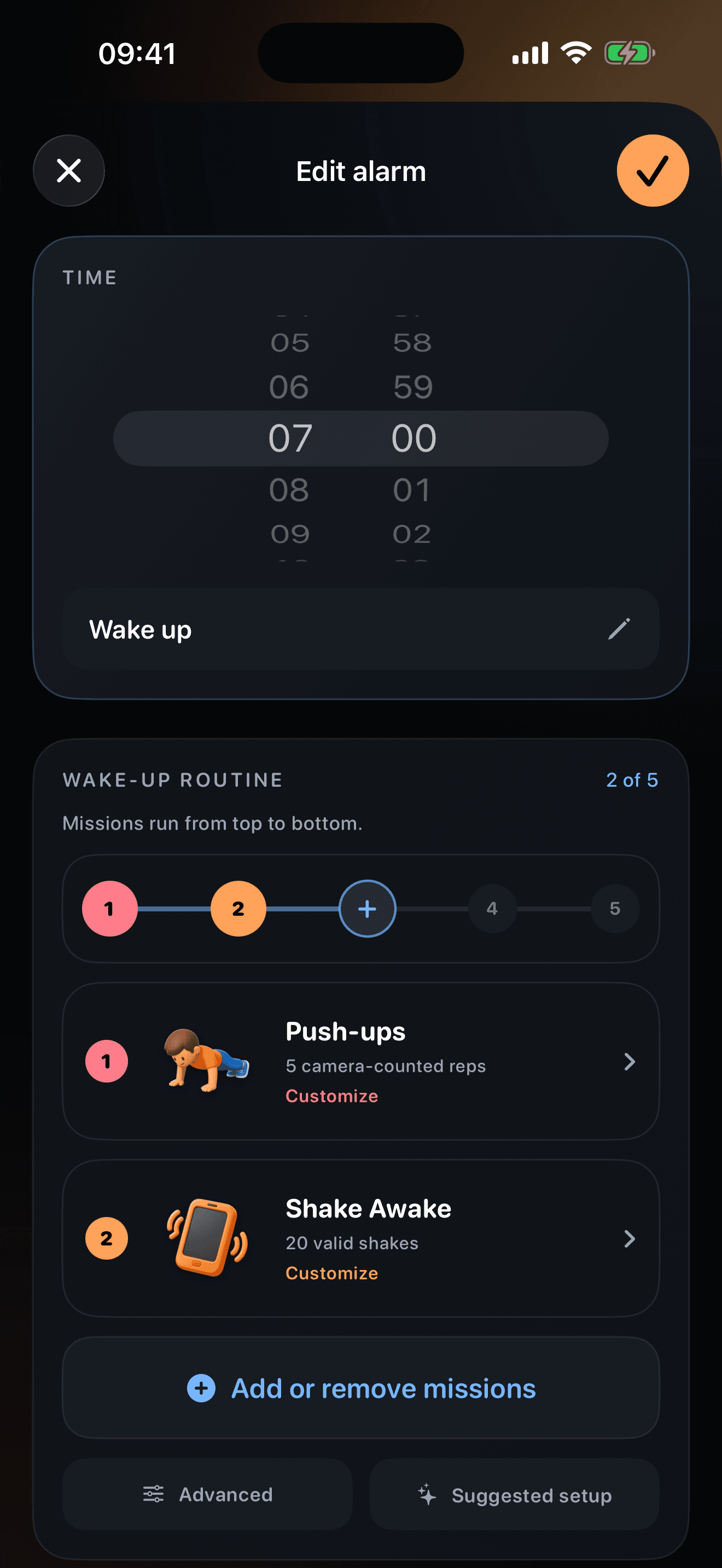
03 /Your morning. Your sequence.
Choose the days, alarm time, sound, and mission order that move you from half-asleep to your first real action.
Review completed wake-ups and your current streak on this device.
Personal mornings. Private by design.
Arun processes camera and Motion missions on your device.
Before your next sunrise
Direct answers about how the iPhone wake-up routine works, who it is designed for, and what happens to your data.
A mission alarm app adds tasks to the wake-up process instead of ending it with one half-asleep tap. Arun lets you order thinking, movement, and checkpoint missions into one repeatable morning routine.
A normal alarm focuses on making a sound at a chosen time. Arun adds an in-app sequence after the alarm or notification path available on your iOS version, helping you move from hearing the alarm to taking a real first action.
Yes. Arun is designed for people who dismiss or snooze an alarm while still half-asleep. Missions add intentional steps, but no alarm app can guarantee a wake-up or prevent device, permission, or operating-system interruptions.
Arun does not require an account at launch. Alarm settings and local history stay on your iPhone, while camera and Motion missions are processed on device. Purchases, diagnostics, and install attribution may still use the providers disclosed in the Privacy Policy.
Published by Arun Alarm · Last reviewed
Tomorrow starts tonight

iPhone · iOS 17+